Skip to content
The Alarm

Alarm clock for iPhone

Alarms for any day.

Every week, in a rhythm or only on the days you choose – The Alarm plans your mornings like a calendar, with holidays, vacation and shift plans.

Coming soon to the App Store

For iPhone with iOS 26.

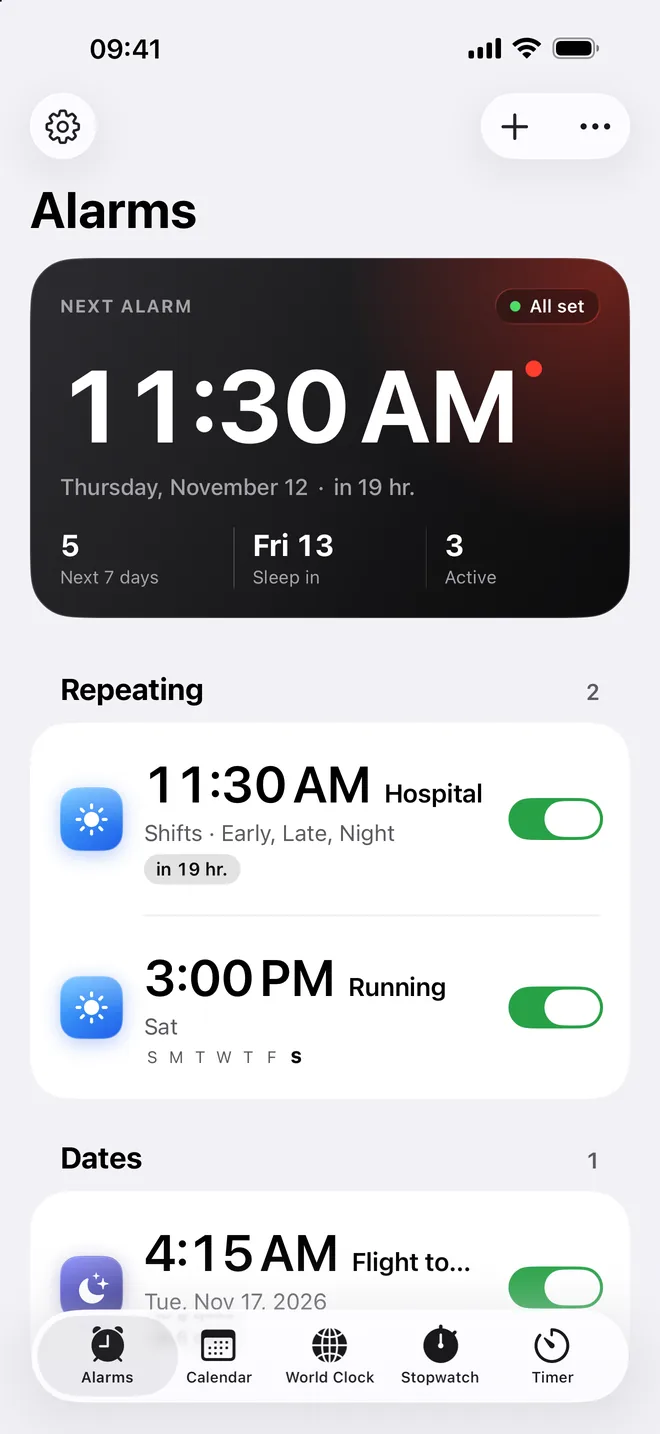
Your alarms – and the next one at a glance.

What The Alarm does

Like a calendar

Alarms for any day

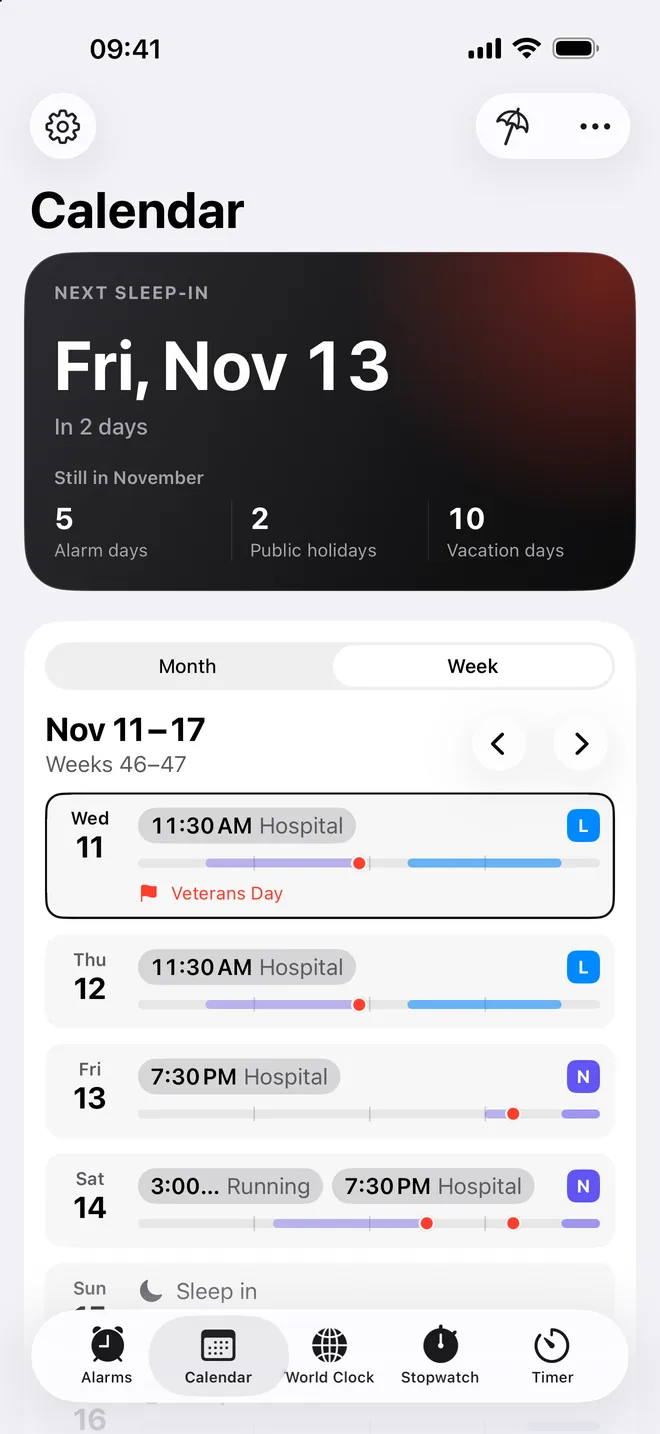
See every alarm of the month at a glance – and sleep in on public holidays and during your vacation without touching a thing.

  • Public holidays for more than 200 countries and their regions – search your city and The Alarm picks the right ones
  • Vacation entered by hand or taken from your calendar
  • Change a single day, or that day and all that follow – with Undo
  • Month and week: when it rings and when you can sleep in
  • Every alarm time explained – why it rings, or why it stays quiet
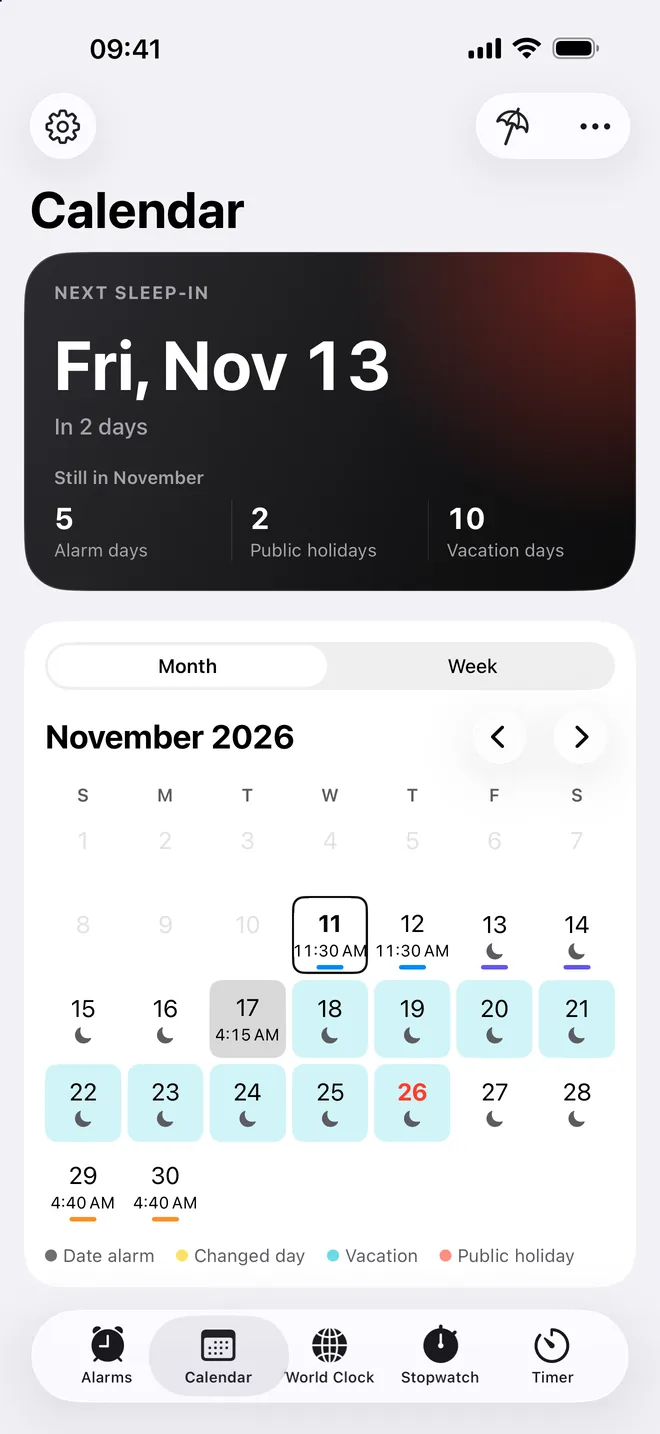
Every day of the month, like in a calendar.

Every rule you need

Weekly, in a rhythm or on set dates

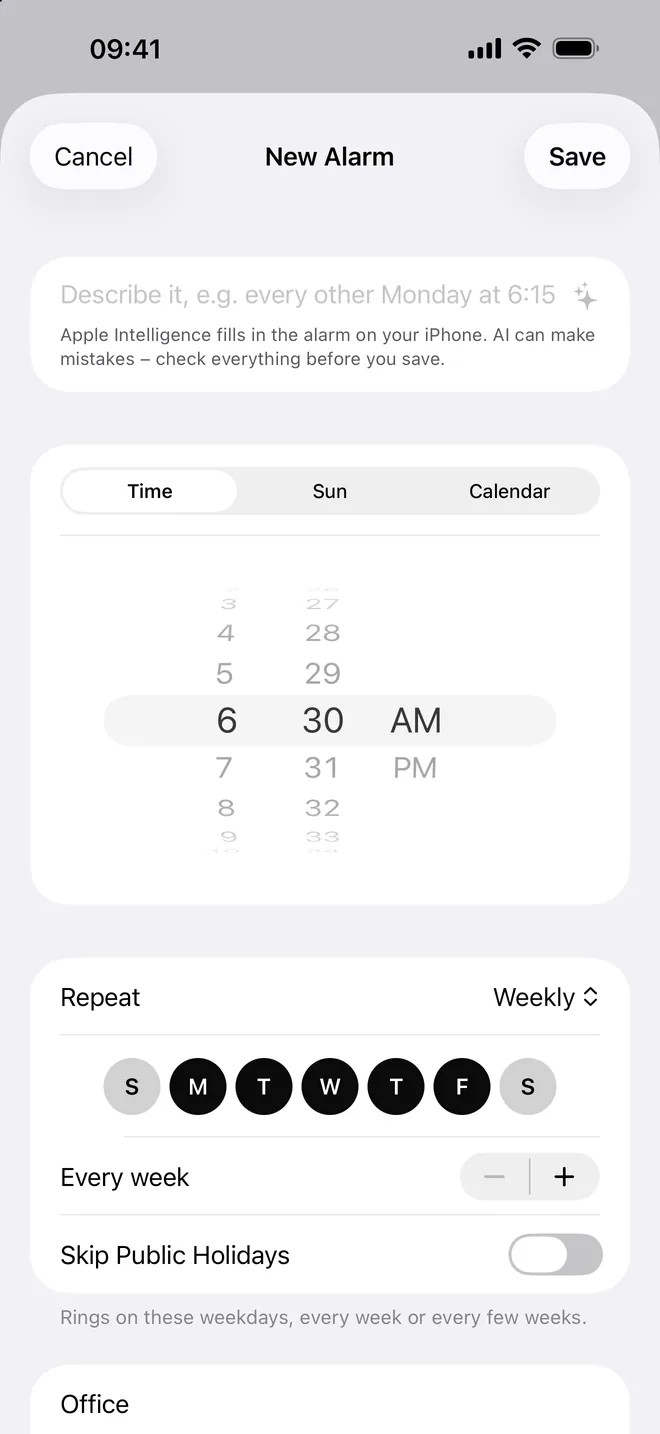
Set alarms the way your weeks really are – every week, every few days, on the first Monday of the month or only on the dates you pick.

  • Weekdays, rhythms like “4 on, 4 off” and monthly rules
  • Groups, notes and templates to start from
  • Share an alarm as a QR code or file – it arrives ready to save
  • By the sun or by your first event of the day (Pro)
  • Describe it in your own words – Apple Intelligence fills in the alarm on your iPhone (Pro)
A new alarm: time, sun or calendar, and the days it rings.

For shift work

Shifts in their rhythm

Early, late, night: set up your shift plan once, and The Alarm rings at the right time for every shift – around public holidays and vacation.

  • Twelve shift systems to start with, or your own shifts with wake-up time, start and end
  • Snap a photo of your roster or open the PDF – Apple Intelligence reads it on your iPhone
  • Share your shift plan with colleagues as a link, QR code or file
  • Shift count with Sundays, public holidays and short breaks between shifts

Shift plans come with Pro. Compare Free and Pro

The week with shifts, sleep and a public holiday.

Sleep

Enough sleep – even around night shifts

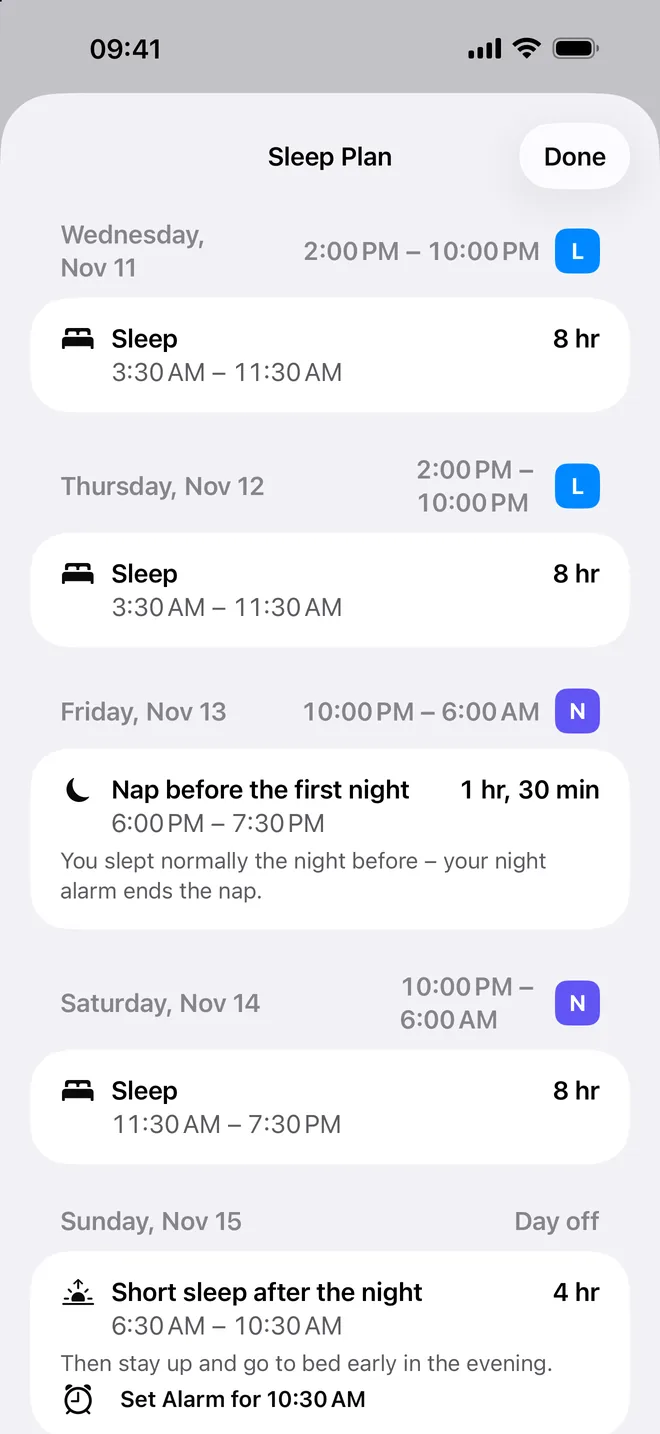
The Alarm knows when you have to get up and shows how much sleep is left. Around night shifts, it plans a nap before the first night and a short sleep after the last.

  • Sleep in the week view, from bedtime to your alarm
  • A bedtime reminder and “Good night” with the time left to sleep
  • Sleep plan around night shifts, with a nap and a short sleep (Pro)
  • Sleep sounds that fade out before your next alarm (Pro)
The sleep plan around night shifts.

Good morning

Wake up gently – and really get up

A sunrise on your nightstand, a sound you like and a check that you're awake – mornings that start well.

  • 15 alarm sounds of its own, made in the app
  • Safety net and evening check: a notification with every alarm, and every evening the first alarm of tomorrow
  • Your own sounds: record, import or load by link, then trim (Pro)
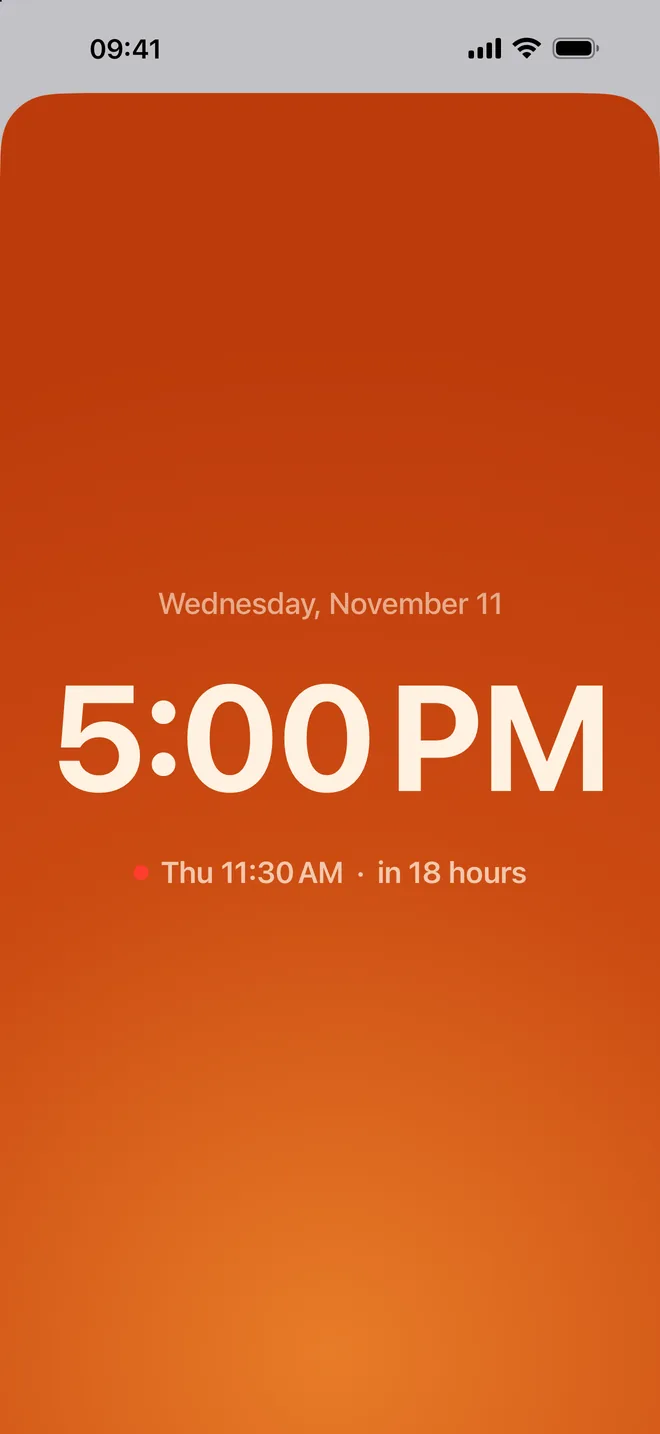
  • Nightstand clock with a sunrise, wake-up light and sleep sounds (Pro)
  • Wake-up check, snooze budget and snooze coach (Pro)
  • Good-morning card and a morning routine on the Lock Screen (Pro)
The nightstand clock during the sunrise.

More than alarms

World clock, stopwatch and timer

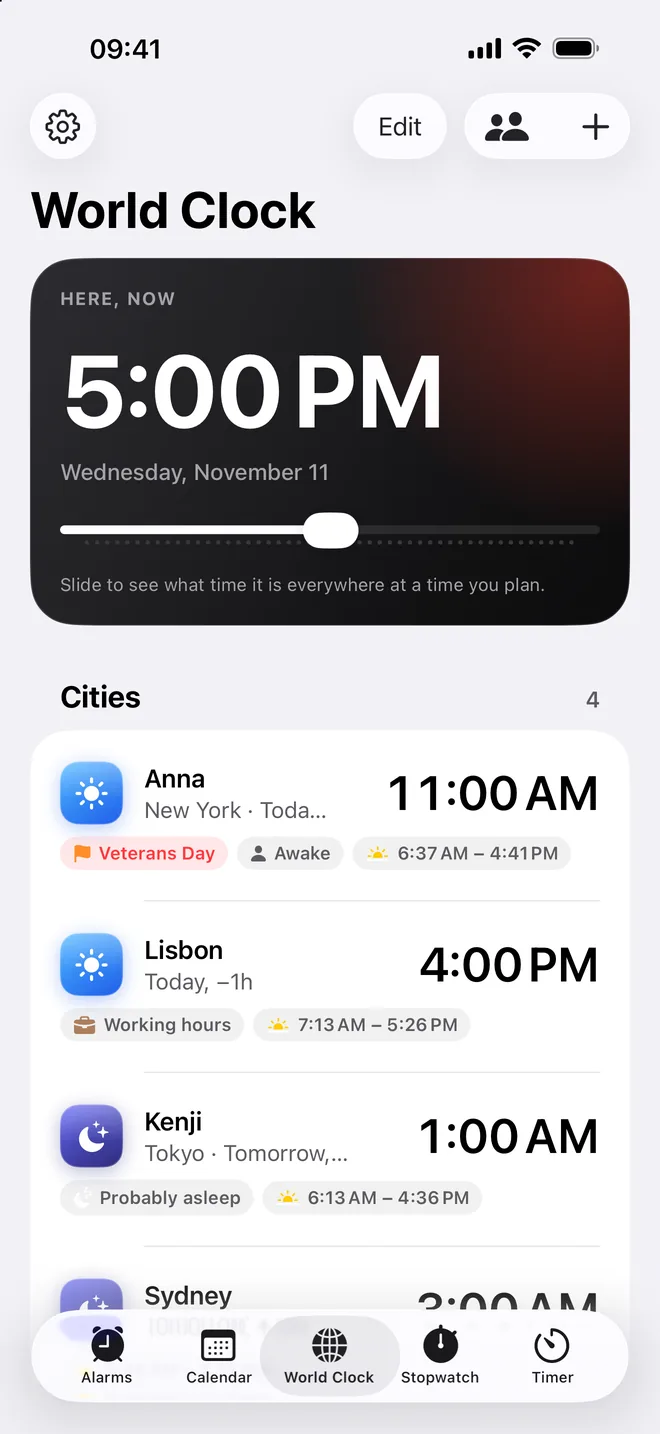
Cities and people with their time, public holidays and daylight – plus a stopwatch with laps and as many timers as you need.

  • Slide through the day to see what time it is everywhere
  • Any city in the world – with its public holidays, weather and sunrise
  • Stopwatch with laps that marks the fastest and slowest, several timers at once
  • Several stopwatches side by side – start, stop and sort each one (Pro)
  • The stopwatch on the Lock Screen with Lap and Stop – or take laps with the Action Button
  • Share a timer or the stopwatch – the timer rings for both of you at the same moment
Cities and people with their time, holidays and daylight.

Always at hand

The Alarm works where you need it – often without opening the app.

  • Widgets

    Your next alarm, the next day to sleep in and a month calendar on the Home Screen.

  • Lock Screen and StandBy

    The next alarm on the Lock Screen and big on your nightstand.

  • Live Activities

    Alarms and timers counting down, and your morning routine step by step.

  • Controls and Action button

    Skip the next alarm, take a power nap or stay home sick – in one tap.

  • Siri and Shortcuts

    Say “Good night in The Alarm” or build your own shortcuts.

  • Search and Focus

    Find your alarms in Spotlight and filter them by Focus.

Your alarms stay yours.

No account, no ads, no tracking. What you enter stays on your iPhone.

  • On your iPhone

    Alarms, shift plans, places and sounds stay on your device – they never reach us.

  • No tracking

    No ads, no profile of you, no data sold. Anonymous usage statistics, which you can turn off, show us what to improve.

  • App lock

    Face ID or your own code – widgets and Spotlight then show no names.

  • Backups where you want

    In iCloud Drive or any folder in Files, encrypted with a password if you like.

Read the details in the privacy policy.

Free – and Pro when you want more.

Everything that makes your alarms ring reliably is free, with no limit on alarms and no ads. Pro adds shift plans, the sleep plan, your own sounds, mornings and more.

Compare Free and Pro